
Quick Summary
When an automatic gate opens and closes immediately, the malfunction is typically triggered by obstructed photo-eye sensors, shifted limit switch settings, mechanical track binding, or shorted accessory inputs. Most false reversals can be resolved by cleaning optical sensors and fine-tuning travel limits, though complex electrical diagnostics and force calibrations are safely handled by specialists like Ironworks Gate Co. Readers will be able to systematically diagnose physical drag, verify sensor alignment without compromising safety standards, and determine when to request a professional on-site repair.
Gate Opens and Closes Immediately – How to Fix It Fast
When an automatic driveway gate opens and closes immediately, the culprit usually comes down to misadjusted force settings, shifted travel limits, physical binding, or safety sensor faults. Having a gate reverse mid-cycle right when you are trying to head out for the day is aggravating, but forcing the gate leaf by hand can be dangerous. Residential gate operators generate substantial torque. Consumer Product Safety Commission data from 2011 through 2015 estimated roughly 1,500 emergency room visits tied to automatic gate entrapment and pinch points during that five-year span.[3]
General handymen often guess at board settings or unsafely bridge safety terminals just to get a gate moving again. Finding the real electrical or mechanical failure requires a systematic approach. Regardless of the operator model, diagnosing the root cause prevents recurring breakdowns. Below are the steps to isolate why your gate is bouncing back and how to address the underlying fault safely.
What You Need to Troubleshoot Gate Reversals
To safely check a gate that opens and closes immediately, you need basic hand tools and a clear understanding of electrical safety. Visual checks take only a few minutes. However, determining whether mechanical drag or control board sensitivity is triggering the reversal requires proper safety prep before opening the operator housing.
Tools and Safety Gear Required
- Basic hand tools including insulated flathead and Phillips screwdrivers
- Silicone-based spray lubricant (avoid grease or petroleum sprays that collect grit)
- Torpedo level and clean microfiber cloths
- Work gloves and safety glasses
- Voltage tester or digital multimeter (for qualified individuals checking wiring connections)
Initial Safety Precautions Before Testing
Because automated gates involve heavy moving components and electrical systems, take two protective steps before inspecting internal components:[5]
- Shut Off Main Power: Switch off the dedicated breaker feeding the operator to prevent electric shock and sudden motor starts.
- Disengage the Drive Mechanism: Release the mechanical clutch, arm pin, or chain disconnect so you can swing or slide the gate manually. This allows you to feel for binding, stiff hinges, or damaged rollers without motor interference.
If the issue involves high-voltage wiring or circuit board repairs, calling a qualified gate technician such as Ironworks Gate Co. is always safer than trying to bypass safety circuits.
Step 1: Inspect and Realign Safety Photo-Eye Sensors
Dirty, misaligned, or obstructed photo eyes cause a large percentage of false gate reversals. Safety photo eyes project an infrared beam across the driveway entrance. If that beam breaks while the gate is in motion, the logic board typically reverses travel to protect vehicles, pets, and people. Entrapment safety requirements are designed so that automated systems treat a dropped sensor signal as an active obstruction.[4]
Checking Optical Line of Sight and LED Status Indicators
- Inspect both the sending and receiving sensor housings mounted on your gate posts or bollards.
- Check the status LEDs on each unit. Many common models show a solid LED when alignment is true, while a flickering or unlit LED often indicates optical misalignment, dirty lenses, loose wiring, or power interruption.
Clearing Environmental Blockages and Sun Glare
Wipe away spiderwebs, dust, and dried rain spots from the optical lenses. Check that weather exposure has not bent or twisted the mounting brackets out of square. Low-angle morning or late-afternoon sunlight shining directly into the receiving lens can also interfere with the sensor. If the indicator LEDs show a steady signal but the gate continues to reverse on its own, the issue may point to shifted travel limits or motor force thresholds.
Step 2: Calibrate Operator Limit Switch Settings
Need gate opens and closes immediately?
We’re available now - call for a fast, free estimate.
Travel limits dictate where the motor shuts off at full open and full close. If vibration, hardware wear, or seasonal changes cause these limits to drift, the gate arm or carriage can strike the physical hard stop. That impact creates mechanical resistance, prompting the control board to reverse direction as if it hit an obstacle.
Locating Mechanical Limit Cams vs. Electronic Limits
Gate operators track position using either physical rotating cams on a threaded shaft or electronic digital limits. In screw-drive, swing, and slide systems, continuous motor vibration can loosen mechanical locknuts over time. Older operators may also experience worn plastic cams or loose microswitch arms, which can allow the gate to over-travel and trigger a reversal cycle.
Fine-Tuning Open and Close Travel Distances
- Turn off power and check where the carriage, arm, or gate leaf meets the physical stop block.
- Adjust the mechanical limit nut or the board’s digital limit settings so the motor stops travel just before contacting the hard stop.
- Restore power and run a test cycle to confirm the operator shuts off smoothly without slamming against the frame or post.
Proper limit adjustments protect both the motor gears and anyone near the gate, preventing false reversals without overriding essential safety thresholds.
Step 3: Adjust Force Limits and Check for Mechanical Drag
When an automatic gate opens and closes immediately, physical resistance along the gate’s path frequently trips the board’s internal force monitor. Modern operators monitor motor load during travel. If excessive friction occurs, the board interprets the resistance as an obstruction and reverses direction.
Understanding Board Force Sensitivity
Inherent entrapment protection monitors motor load during cycles. Setting force adjustment dials to maximum just to overcome mechanical friction can create significant safety hazards. Force settings should generally remain set to the minimum level necessary for reliable travel rather than increased to bypass physical binding.
Plausible Thermal Effects on Mechanical Resistance
In troubleshooting gate issues, technicians at Ironworks Gate Co. often note that high summer temperatures may cause metal gate frames and ground tracks to expand slightly, while potentially thinning out hinge and gearbox lubricants. This added drag can increase motor workload and contribute to false reversals. To evaluate force and drag safely:
- Disconnect the drive arm or chain and move the gate through its full stroke by hand to feel for tight spots or binding.
- Adjust force settings in small, gradual increments rather than turning them to maximum power.
- Perform a basic obstruction test according to the manufacturer’s guidelines to confirm the safety reverse functions properly under physical contact.
Step 4: Inspect Track, Rollers, Hinges, and Chain Tension
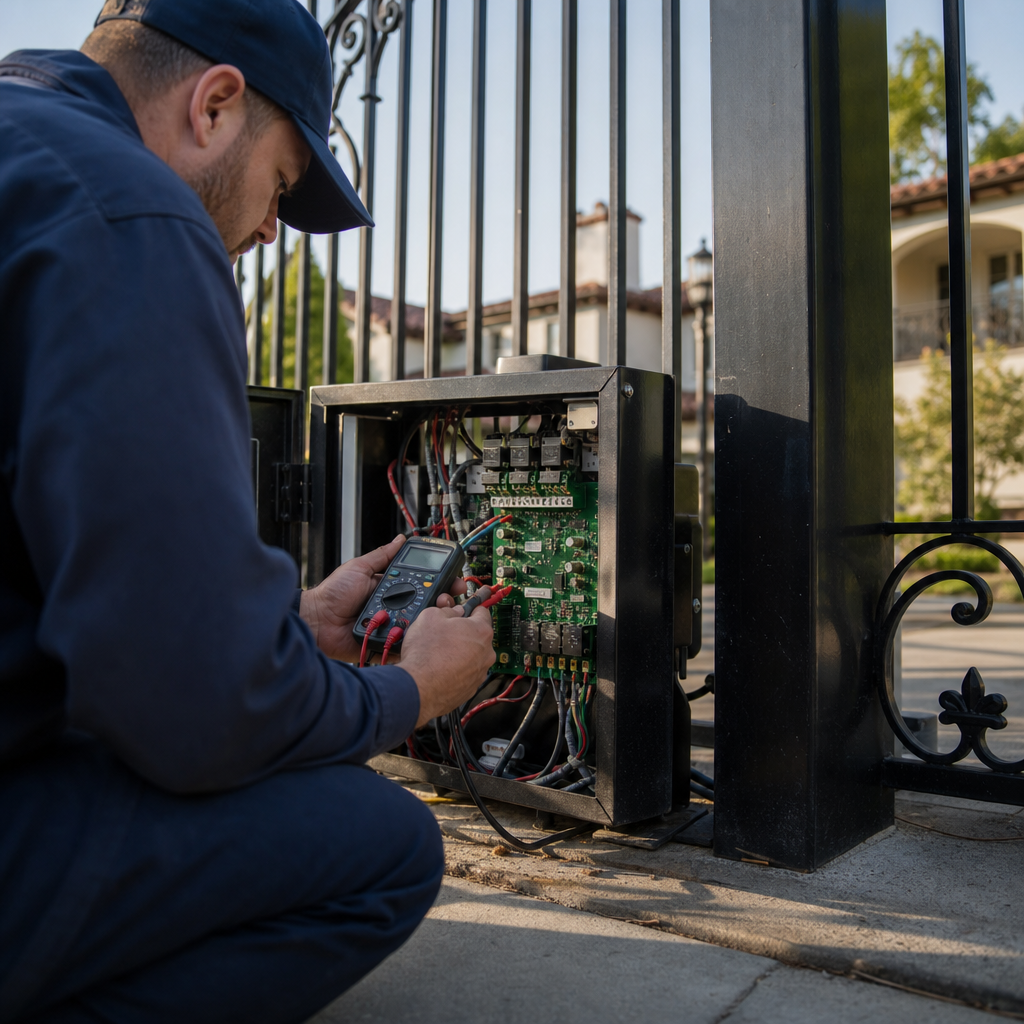
Hardware wear directly increases motor workload. A mechanical inspection helps separate physical binding from electronic board issues.[1]
Detecting Hinge Sag and Deformed Ground Tracks
Heavy wrought iron gates place continuous strain on hinge assemblies. As bearings wear, the gate frame can sag, causing friction at the hinge pins or bottom guide rollers. On sliding gates, check the ground track for packed dirt, gravel, rust, or uneven settling that could bind the wheels.[2]
Chain Drive Tension and Roller Bearing Issues
Worn roller bearings or an overtightened drive chain place excess strain on the motor drive shaft:
- Check Chain Tension: On slide gates, verify that the drive chain has adequate deflection rather than being pulled overly taut, which can strain output shaft bearings and affect travel consistency.
- Check Wheel and Roller Rotation: Release the operator clutch and move the gate manually. If rollers squeak, grind, or drag along the track instead of turning freely, mechanical friction may be triggering the operator’s overload response.
Step 5: Test Control Board Inputs, Loop Detectors, and Keypads
Need gate opens and closes immediately?
We’re available now - call for a fast, free estimate.
If physical travel is smooth and safety sensors are aligned, continuous input signals from access accessories may be commanding the gate to reverse. Shorted wiring, water-damaged keypads, or a faulty vehicle loop detector can trigger repeated cycling.
Identifying Shorted Wires and Ghost Cycling from Keypads
Moisture inside an accessory enclosure, damage to low-voltage wiring, or a stuck push-button can send continuous trigger signals to the board. Plausible troubleshooting steps include:
- Disconnecting external accessory lines from the main terminal strip one at a time to isolate faulty inputs.
- Inspecting the circuit board for visible signs of damage, corrosion, or insect intrusion across terminals.
- Checking control terminals for steady open-circuit conditions when buttons or switches are released.
Diagnosing Stuck Vehicle Exit Loops
Underground inductive wire loops can experience ground faults or wiring faults over time. A malfunctioning loop detector module may send a continuous signal to the board, prompting the gate to reopen immediately. Inspecting detector status lights or testing detector connections can help identify if a loop module is holding an active call.
Step 6: Verify Safety Operation and Perform Final Cycling Tests
Once adjustments are complete, testing the gate confirms that all safety devices and mechanical components work together without triggering false reversals.
Obstruction and Reverse Testing
- Place a suitable rigid test object in the path of the closing gate leaf according to standard safety testing practices.
- Activate the gate to close. In accordance with general safety standards such as UL 325, the operator should stop and reverse travel upon contacting an obstruction.
Verifying Smooth Operation
- Cycle the gate through several consecutive open-and-close sequences. Watch for consistent travel speed, smooth deceleration near the end of travel, and clean stops without limit drift.
- Listen for excessive motor strain or rattling hardware to ensure all mechanical drag has been addressed.
What Factors Influence Gate Repair Costs?
The cost to fix an automatic gate that reverses unexpectedly depends on whether the issue requires basic sensor realignment, limit recalibration, track servicing, or major component replacement. Costs vary depending on local labor rates, the type of operator installed, and whether replacement parts such as circuit boards, safety sensors, or drive motors are required.
Comparing Repair Approaches
| Repair Scope | Common Root Cause | Recommended Action |
|---|---|---|
| Sensor Alignment & Cleaning | Dirt, spiderwebs, physical bracket knock | Clean lenses, align optical sightline, check indicator LEDs |
| Limit & Force Recalibration | Vibration drift, mechanical wear | Adjust limit cams/encoders, fine-tune force thresholds |
| Hardware & Track Servicing | Worn hinge bearings, track settling, tight chain | Lubricate hinges, adjust chain tension, replace bad rollers |
| Electrical & Board Repairs | Failed relays, shorted keypad, grounded loop | Isolate terminal inputs, check detector modules, replace damaged boards |
Evaluating Professional vs. DIY Repair
Total repair expenses depend on whether the gate needs simple optical adjustment, structural hinge rebuilding, or electrical component replacement. Working with a dedicated gate automation specialist like Ironworks Gate Co. helps avoid unnecessary parts replacement by isolating the exact mechanical or electrical fault first.
Frequently Asked Questions About Automatic Gate Reversals
Why does my automatic gate open and close immediately?
This issue is usually triggered by misaligned safety photo eyes, shifted travel limits that make the gate hit a hard stop, excessive mechanical drag on hinges or tracks tripping the force limit, or an access accessory (like a stuck keypad or loop detector) sending continuous cycle commands.
How do force limit settings affect gate opening and closing cycles?
Gate operators monitor the mechanical load or current drawn by the motor. If hinges bind, tracks warp, or the gate encounters an obstacle, the motor load increases. When that load exceeds the programmed force threshold, the control board interprets it as an obstruction and reverses travel.
Can hot summer weather cause an electric gate to open and close on its own?
High ambient heat may cause metal components to expand slightly and can affect lubricant viscosity in hinges and operator assemblies. In some cases, this added mechanical drag can increase motor resistance enough to trigger the operator’s safety reverse mechanism.
How do I adjust the limit switch on an electric gate opener?
On mechanical systems, adjust the limit nuts or cams on the threaded drive shaft so the motor shuts off just before the gate reaches its hard stop. On digital systems, navigate the operator’s programming menu to set the open and close limits electronically. Always disconnect power before adjusting mechanical limit cams.
Is it safe to bypass safety photo eyes if the gate keeps reversing?
No. Bypassing photo eyes removes essential entrapment protection, conflicts with established safety standards such as UL 325, and creates significant safety risks. If cleaning and aligning the sensors does not resolve the issue, inspect the wiring or replace the faulty photo-eye components rather than disconnecting safety circuits.
Need gate opens and closes immediately?
We’re available now - call for a fast, free estimate.
Sources
- [PDF] 2024-11-20-COPF-CODD-Hummingbird-Alliance-Meeting-Log.pdf – cpsc.gov (2024)
- [PDF] Petition File No. 605 Cal/OSHA Evaluation – dir.ca.gov (2024)
- [PDF] 2015 Annual Report – Consumer Product Safety Commission – cpsc.gov (2015)
- New Safety Standard for Automatic Security Gates Helps … – cpsc.gov (2000)
- Advanced Search Results – pubmed.ncbi.nlm.nih.gov
Frequently Asked Questions
How can I tell if an electrical accessory is causing my gate to reverse immediately?
You can isolate faulty accessories by disconnecting external control wires from the operator terminal strip one at a time, such as lines running to keypads, intercoms, or push-buttons. If the gate stops reversing and operates normally once a wire is removed, that specific accessory or its underground cabling has an electrical short sending continuous open commands.
What signs indicate that an underground vehicle loop is malfunctioning?
Check the diagnostic LED lights on the loop detector module inside your operator housing. If the detection light stays illuminated when no vehicle is near the gate, the loop wire may have suffered a ground fault or insulation damage, prompting the control board to hold an active cycle command.
What should I do if my gate continues reversing after cleaning sensors and adjusting limits?
Persistent reversals often point to internal logic board relay failures, worn motor encoders, or micro-cracks in low-voltage safety wiring. If basic mechanical adjustments fail, reaching out to Ironworks Gate Co. for an on-site assessment allows a technician to safely test board voltages and recalibrate digital force thresholds.
About the author
 |
Marcus Avery Marcus Avery is a seasoned access control specialist with over 12 years of experience in the automated gate industry. Holding a degree in Electrical Engineering from California State Polytechnic University, Pomona, he brings a strong technical background to his writing on gate repair and maintenance. He aims to provide homeowners and property managers with clear, practical advice on troubleshooting common gate issues and understanding pricing structures. |
Gate not opening, off track, or opener dead?
We’re available now - call for a fast, free estimate.
Call Now - Free Estimate